Receive a batch of raw material
Documentation · Operations: from dock to customer
Record a delivery at the dock: automatic batch number, weight, moisture, temperature, supplier, storage location and certificate of analysis.
1. Open receptions
Flows › Receptions: every delivery recorded, with its internal batch and quality status.
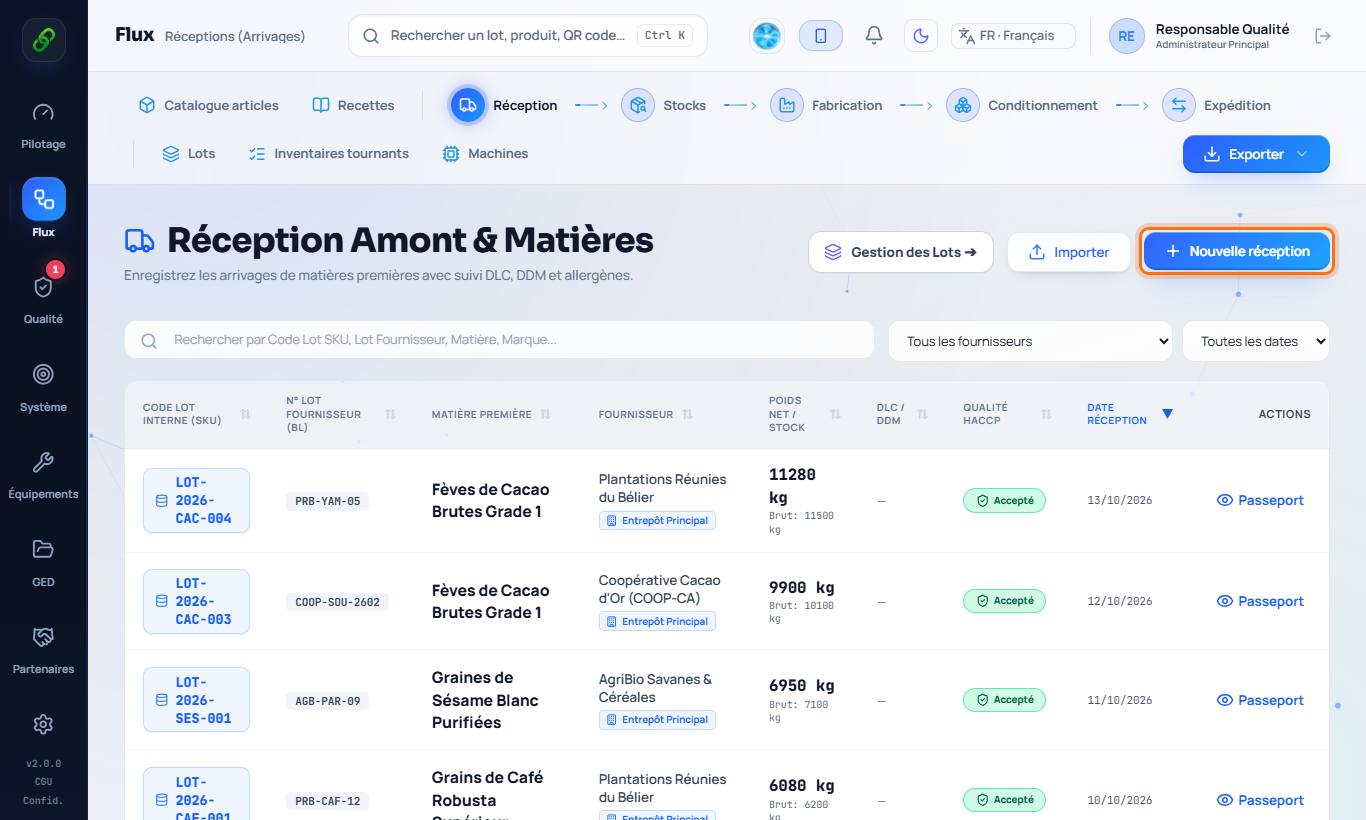
2. Enter the delivery
Click New reception. Choose the material from the catalogue (or type its name), the supplier of origin, the net weight, moisture, the supplier's batch number and the storage location. The internal batch number is assigned automatically.
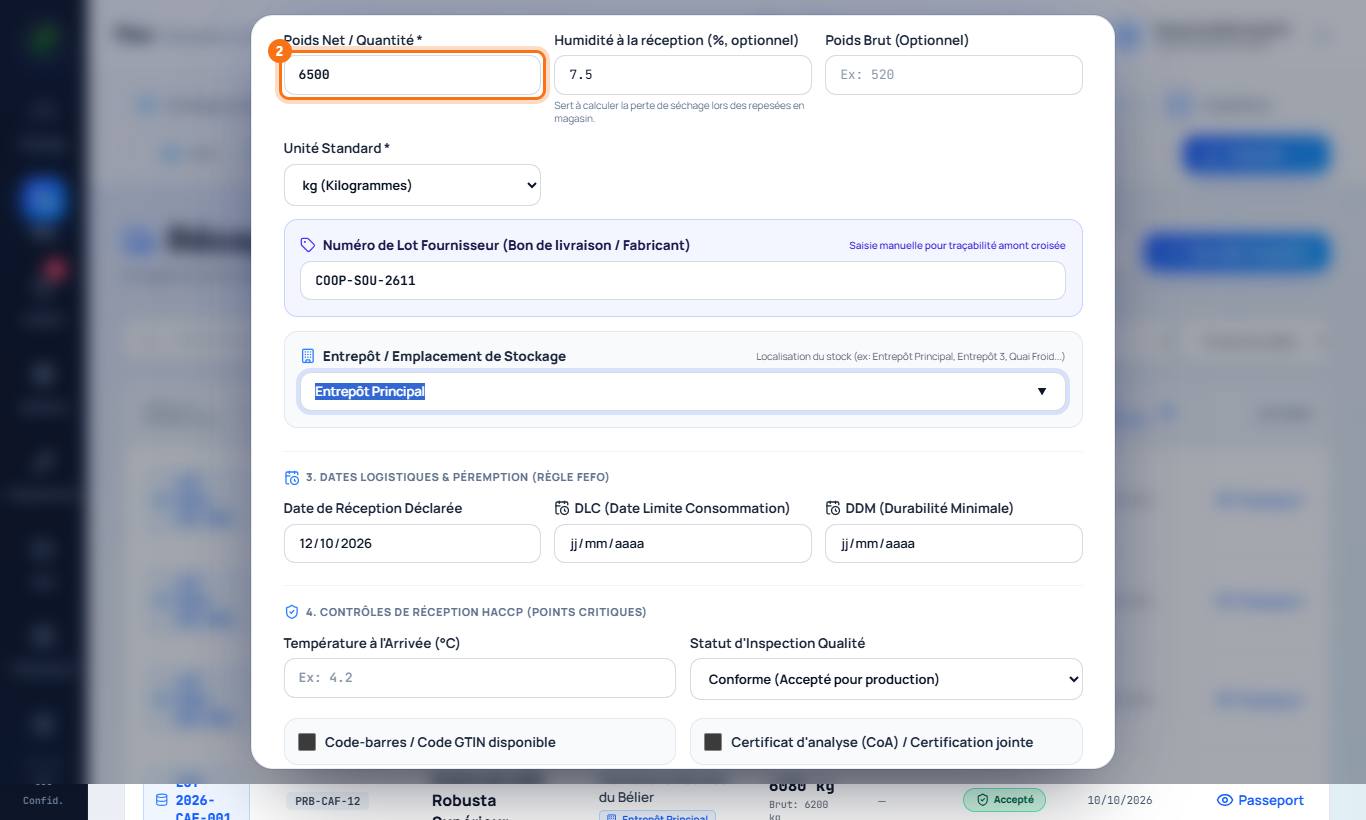
3. Dates, temperature and attachments
Fill in the use-by or best-before date if needed, the temperature on arrival (checked against the product's storage conditions) and attach the certificate of analysis (CoA).
4. Save
The batch enters stock. It can then be checked (Quality › Quality control), used in production or blocked. Its passport traces its whole history.
Good to know
- With the Android app, field staff enter the reception directly at the dock, even without network.