Non-conformities, corrective actions and stock decisions
Documentation · Quality and food safety
Declare a non-conformity, decide what happens to the batch (destruction, quarantine, return, derogation, downgrading) and follow up the corrective action.
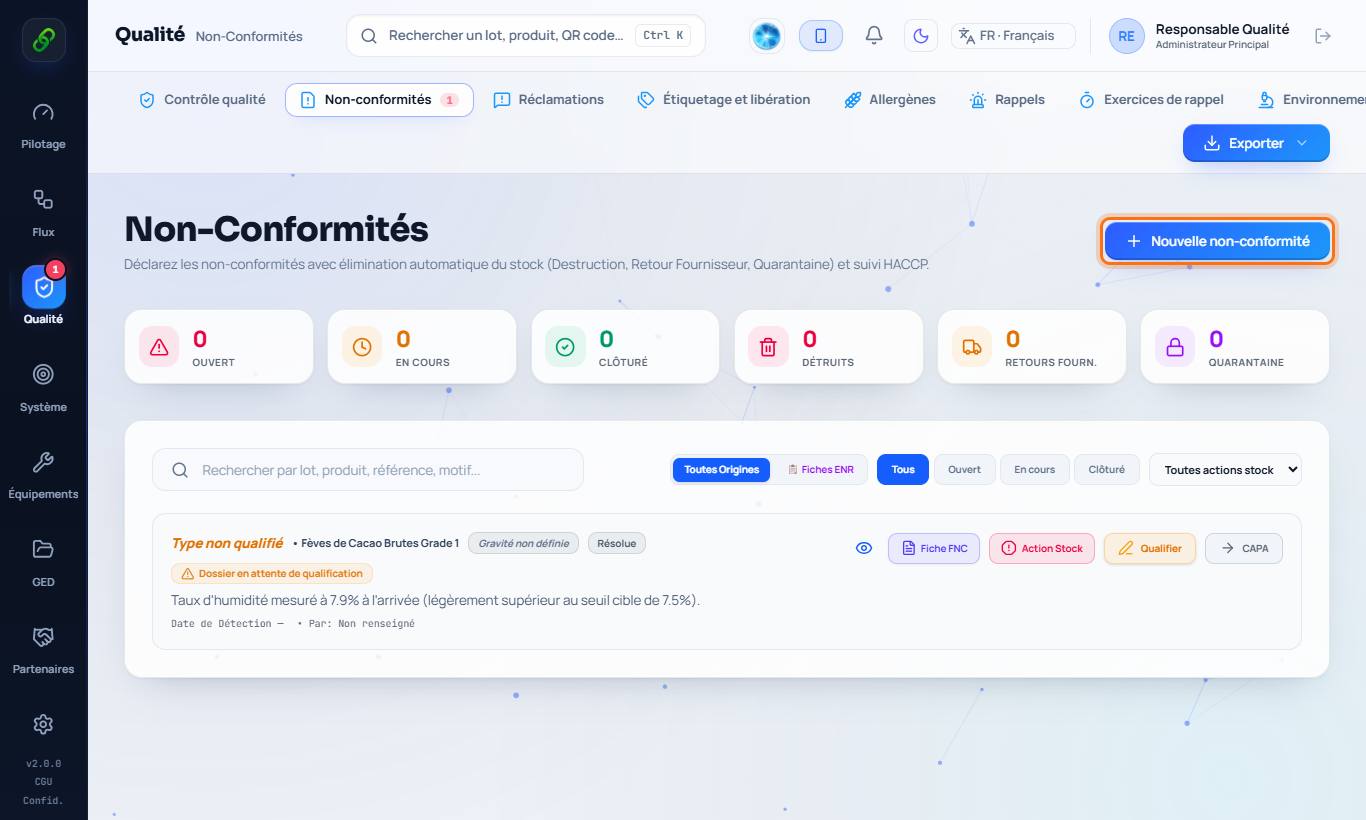
1. Open non-conformities
Quality › Non-conformities: every NC, filterable by status and origin.
2. Declare a non-conformity
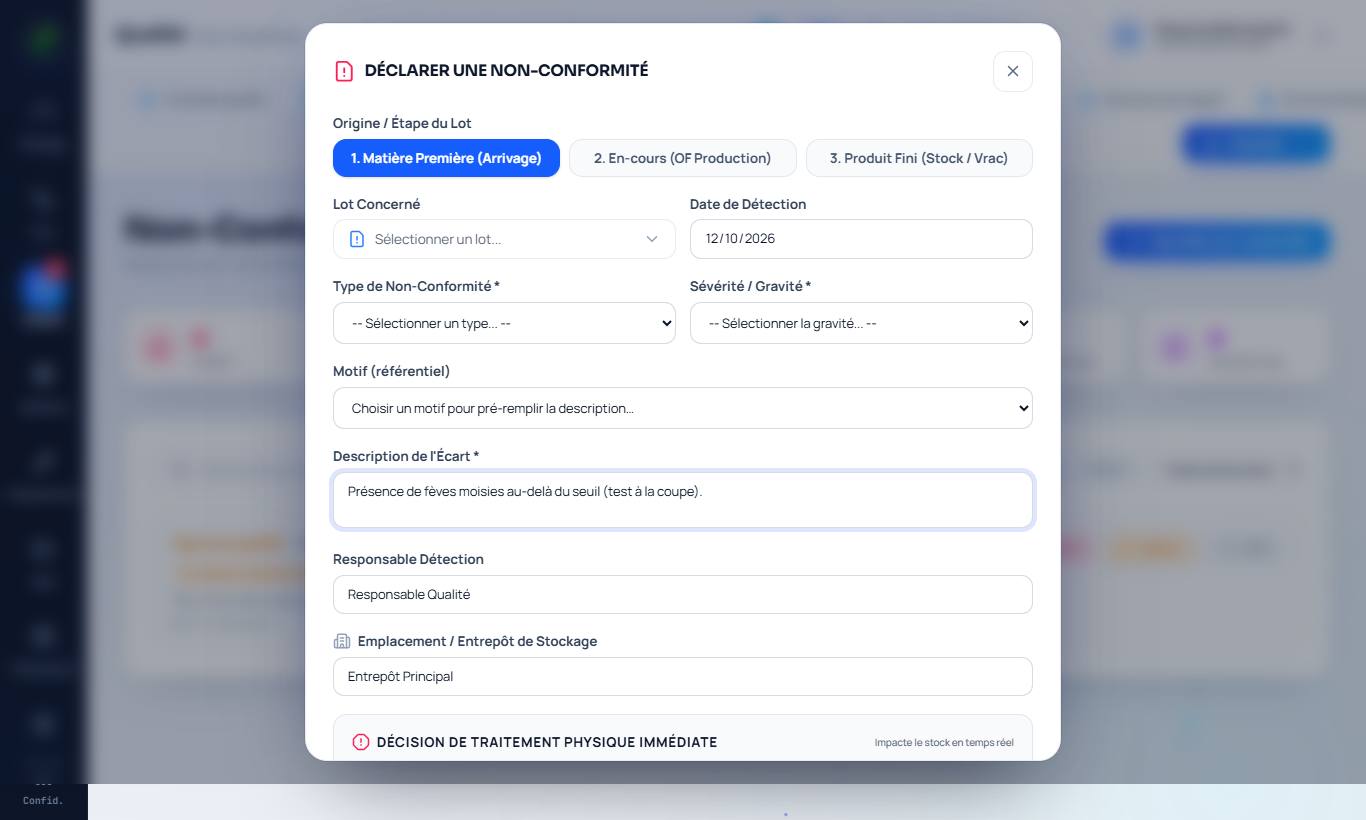
New non-conformity: stage (material, in-process, finished product), batch concerned, type, severity and description of the deviation.
3. Decide what happens to the batch
Choose the decision: destruction (signed report, removed from stock), return to supplier, quarantine, derogation, reprocessing or downgrading (unbranded sale, animal feed, bedding: a linked batch is created and the intended use appears on the delivery note). The quantity can be total or partial.
4. Follow up the corrective action (CAPA)
From the list, CAPA: action, person in charge, due date, then effectiveness check and closure.