Batches, passport and stock
Documentation · Operations: from dock to customer
View every batch (upstream, internal, shipped), a batch passport, stock by product, and carry out re-weighing and stock counts.
1. Batch management
Flows › Batches: every batch, grouped into upstream batches (materials), internal batches (finished products) and downstream batches (shipped).
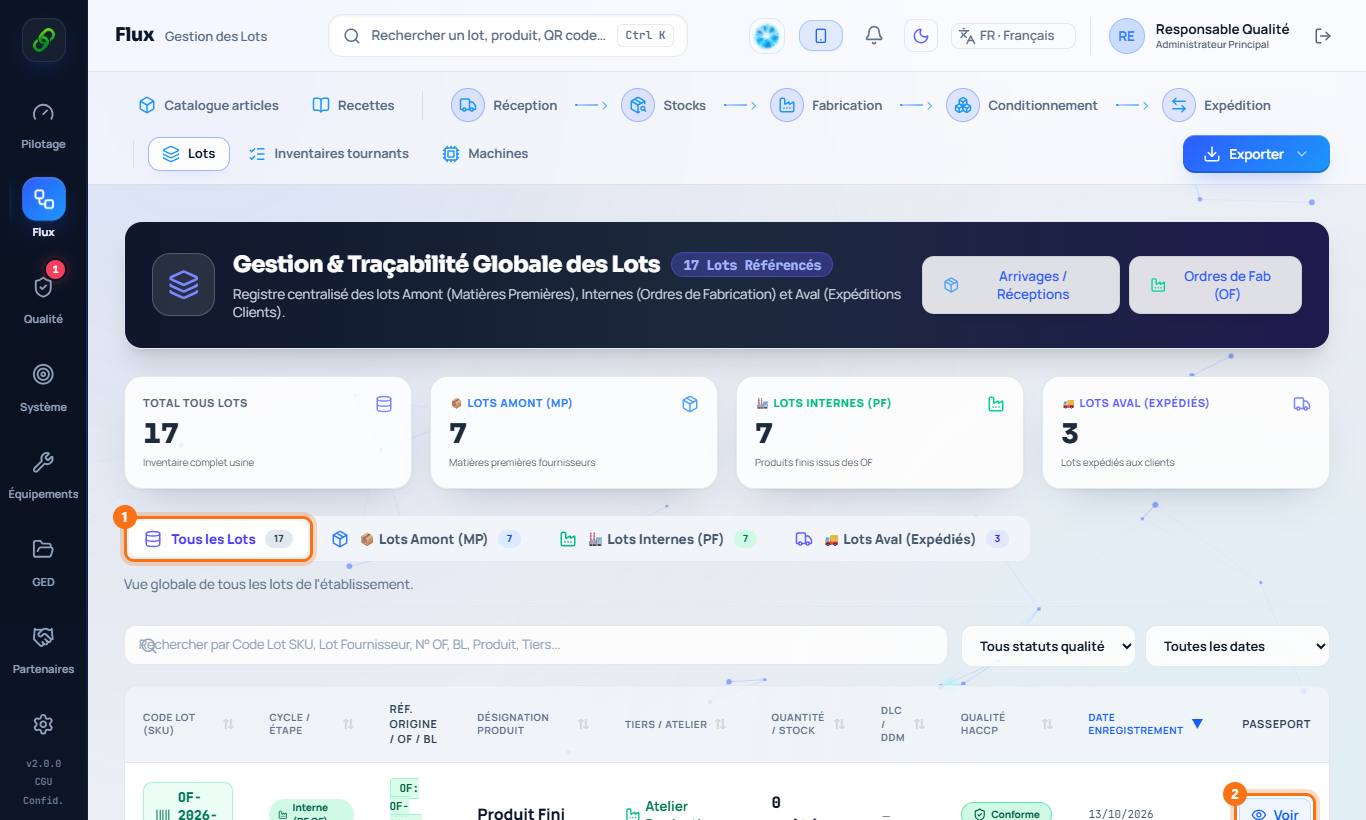
2. A batch passport
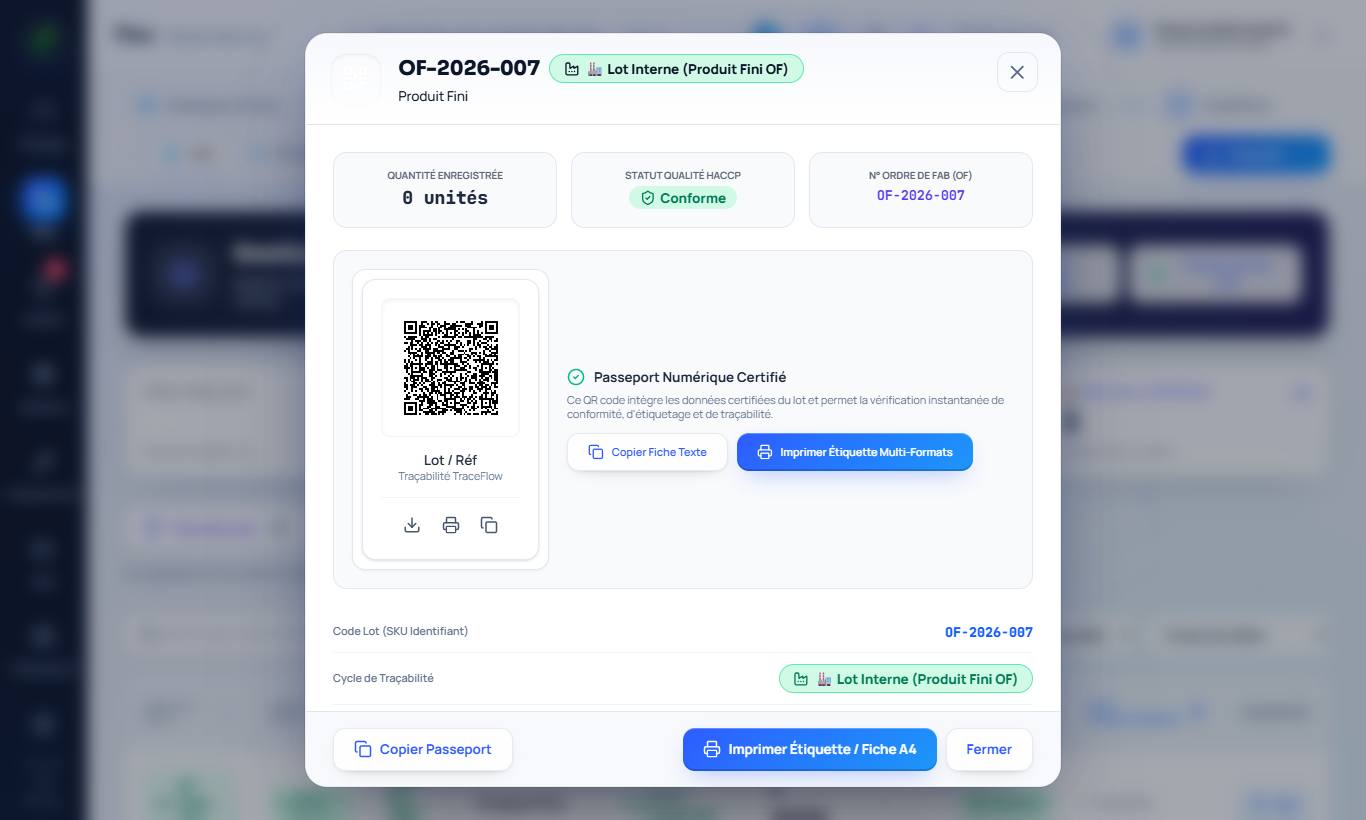
Click View: origin, checks, processing, packaging, shipments, non-conformities. From the passport: re-weighing (weight and moisture after drying, calculated loss) and verification QR code.
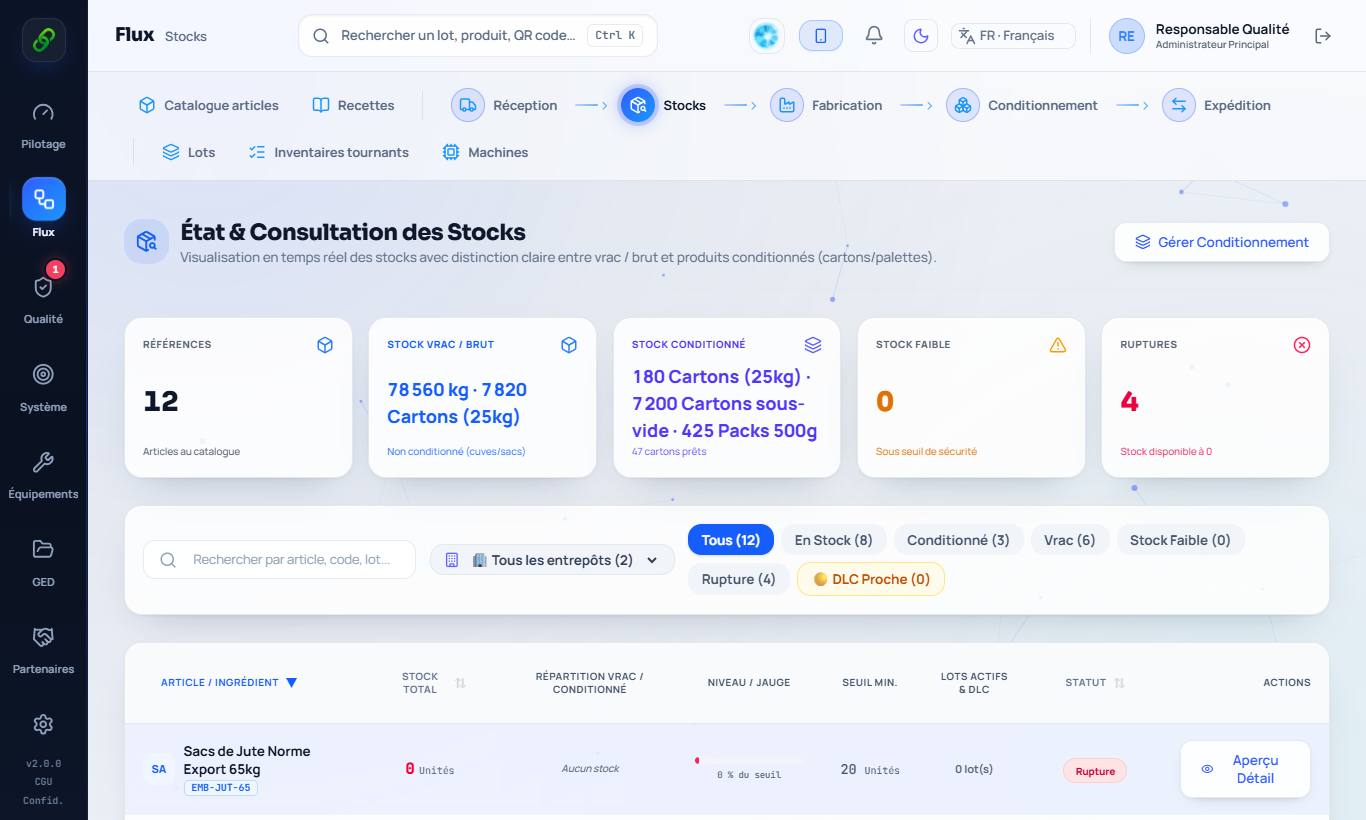
3. Stock
Flows › Stock: quantities by product, bulk and packed, low-stock alerts, stock-outs and upcoming use-by dates.
4. Cycle count
Flows › Cycle counts: Start a count on a location, enter the quantities counted and justify every variance before validation. Stock is corrected and traced.