Suppliers and customers
Documentation · Master data
Record cooperatives, growers and suppliers (with their evaluation) and customers (delivery destinations).
1. Suppliers
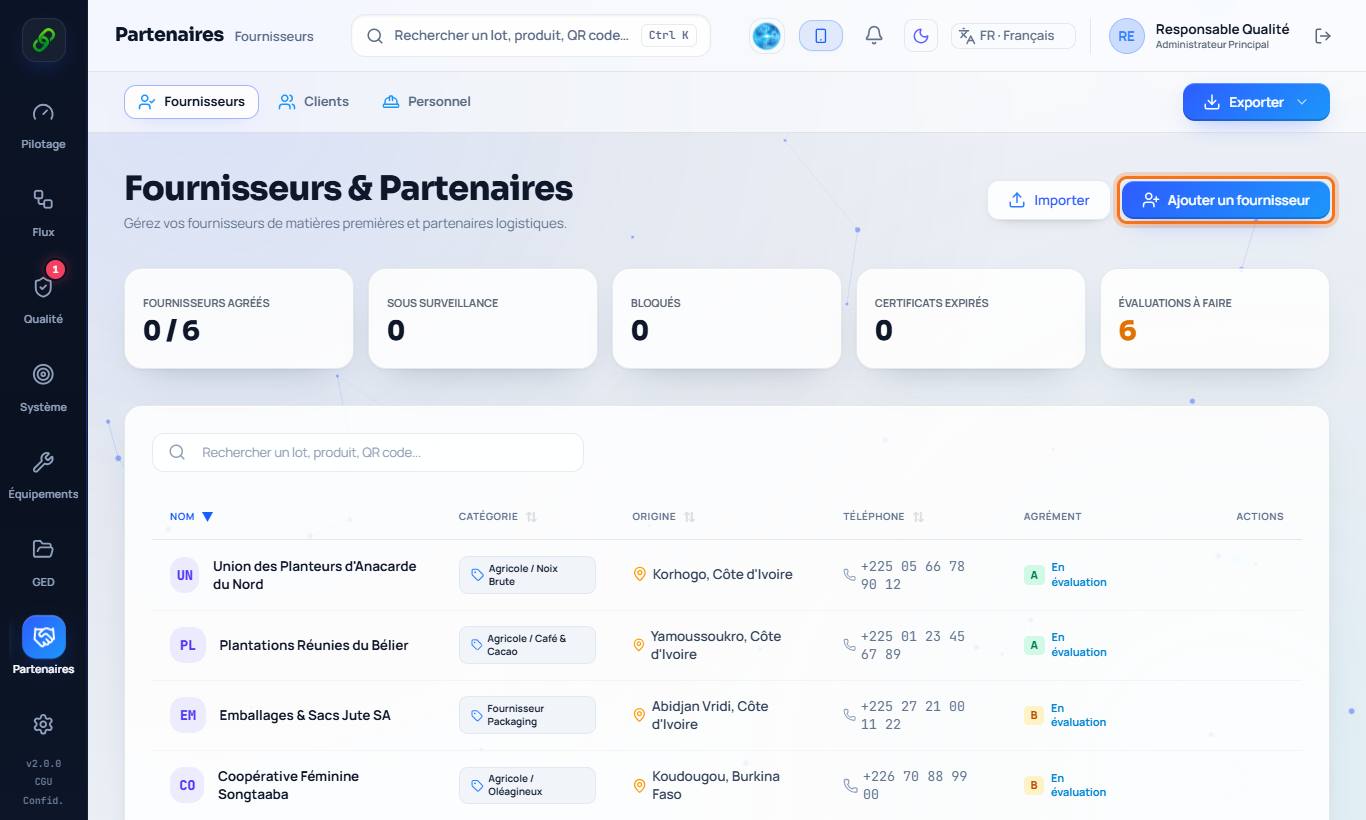
Partners › Suppliers: Add a supplier (name, phone, product category, geographic origin, audit notes). The supplier score is calculated automatically (rejected receptions, non-conformities, certificates).
2. Evaluate a supplier
The approved / under watch / blocked status and certificates with expiry dates appear on the record. A reception from a blocked supplier, or one whose certificate has expired, is refused (or requires a justified derogation).
3. Customers
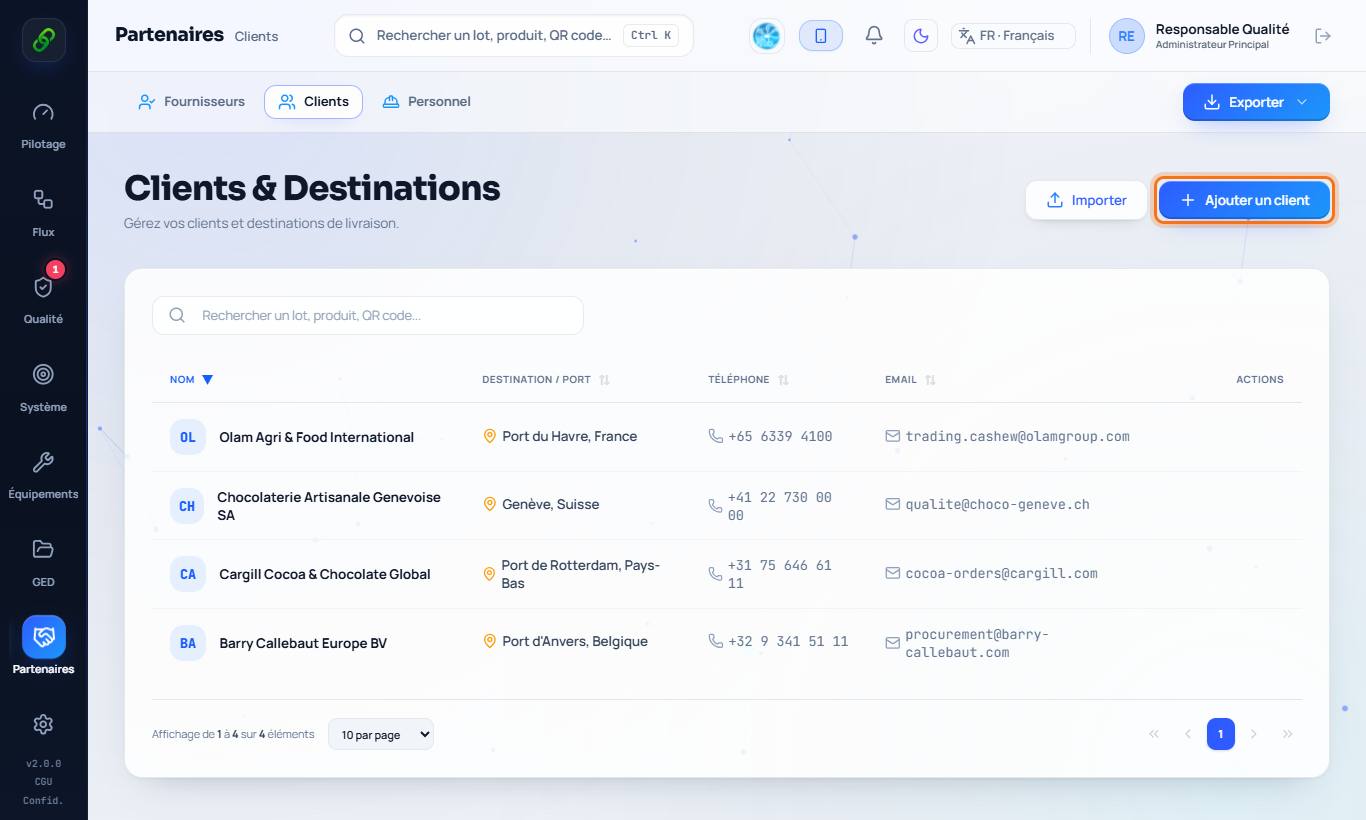
Partners › Customers: Add a customer (name, contact, delivery destination, logistics notes). Customers are offered at shipping and found again in case of a recall.
4. Certificate and contract
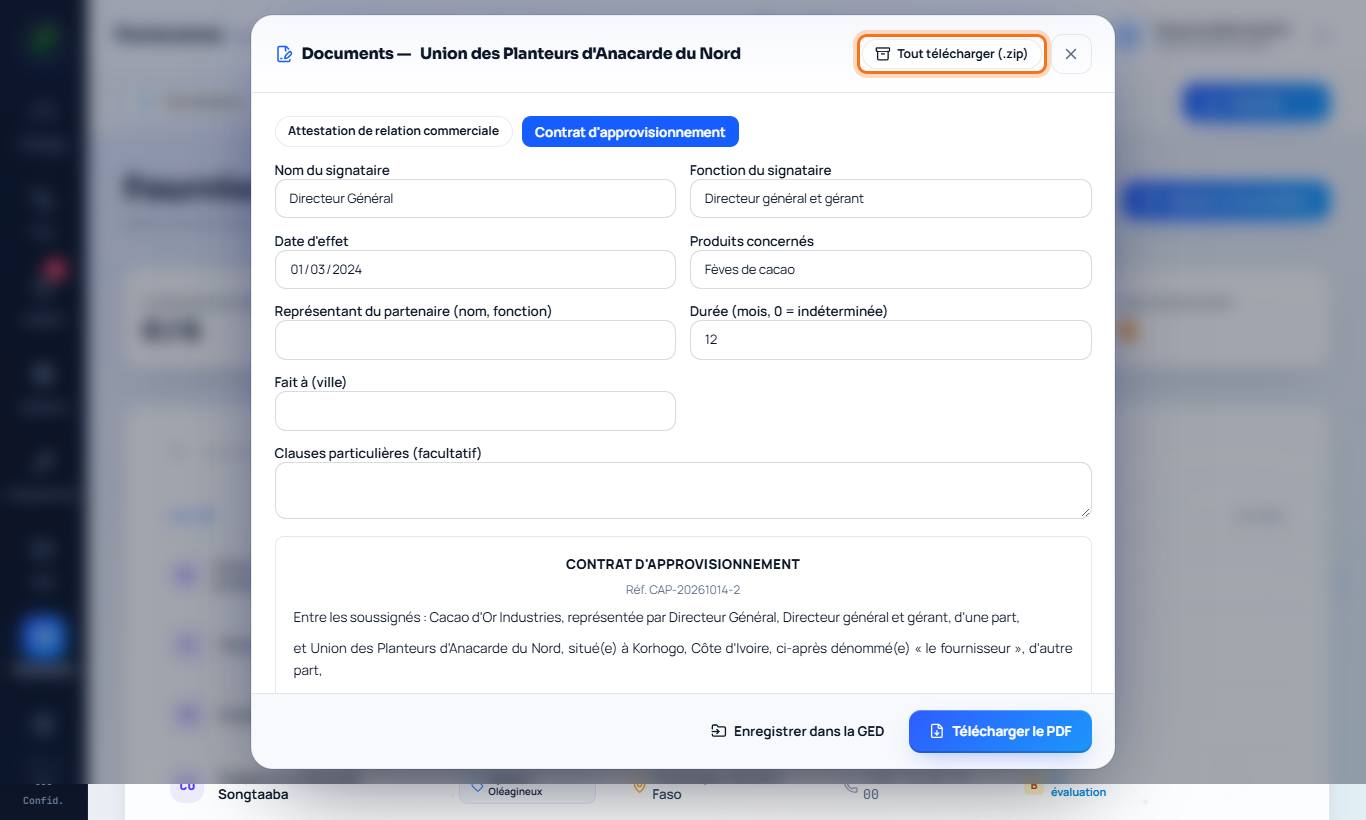
Open a supplier or customer record › Documents. Choose the business relationship certificate or the contract (supply contract for a supplier, delivery contract for a customer): signatory (the managing director is suggested), start date, products concerned, duration and specific clauses. A preview appears, then Download PDF or Save to document library (the document is linked to the partner). No amount is shown: prices and payments belong to purchase orders.
5. Download everything
In the same window, Download all (.zip) gathers the partner record and every linked document from the library into a single file.