Company positions and activities
Documentation · Management system
Add your own positions and activities, rename or hide the default positions, and require skills for these activities or for a specific employee.
1. Open the tab
Partners › Staff › Positions and activities.
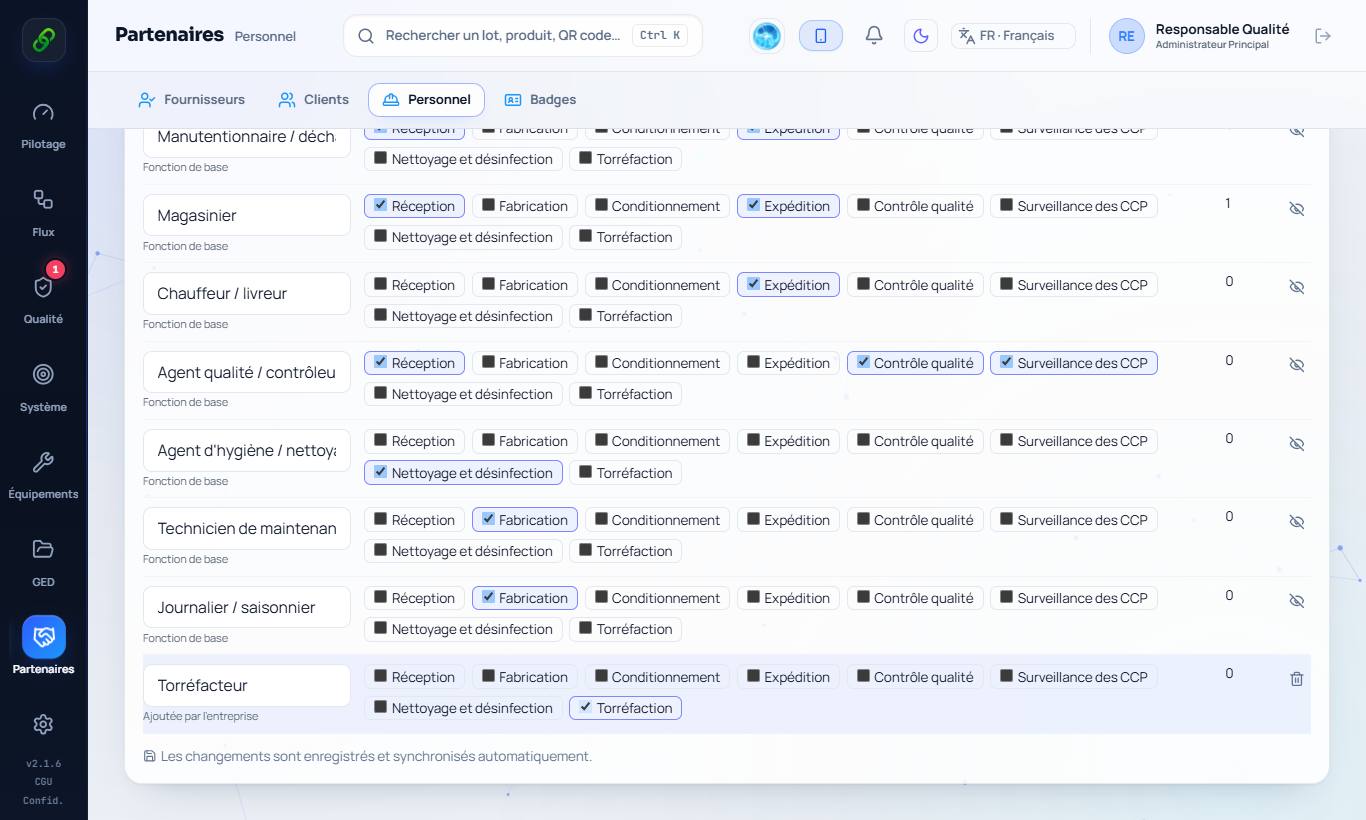
2. Add an activity
New activity (e.g. Roasting, Laboratory, Forklift driving) › Add. It is added to the default activities (reception, manufacturing, packaging, shipping, quality control, CCP, cleaning).
3. Add, rename or hide a position
New position (e.g. Roaster) › Add. Edit a position's name directly in the table. The eye icon hides a default position you do not use. Tick the activities performed by each position.
4. Employees with combined positions
In an employee's record: Other positions held (combined) and Activities performed in addition to their position. The position filter and the training plan take them into account.
5. Required skills
Training › Skill: tick the activities (including yours) for which it is required, or Also required for these employees for a specific person (forklift driver, first aider…). Employees concerned without a valid authorisation appear in the training plan.