Staff HR record
Documentation · Management system
Keep each employee's confidential record: photo, identity and family, career and seniority by position (including combined positions), bonuses, health checks, attachments, PDF and Excel sheets.
1. Open the record
Partners › Staff › HR record icon on the employee's row (or click their photo). The record is only visible to people with the HR records right.
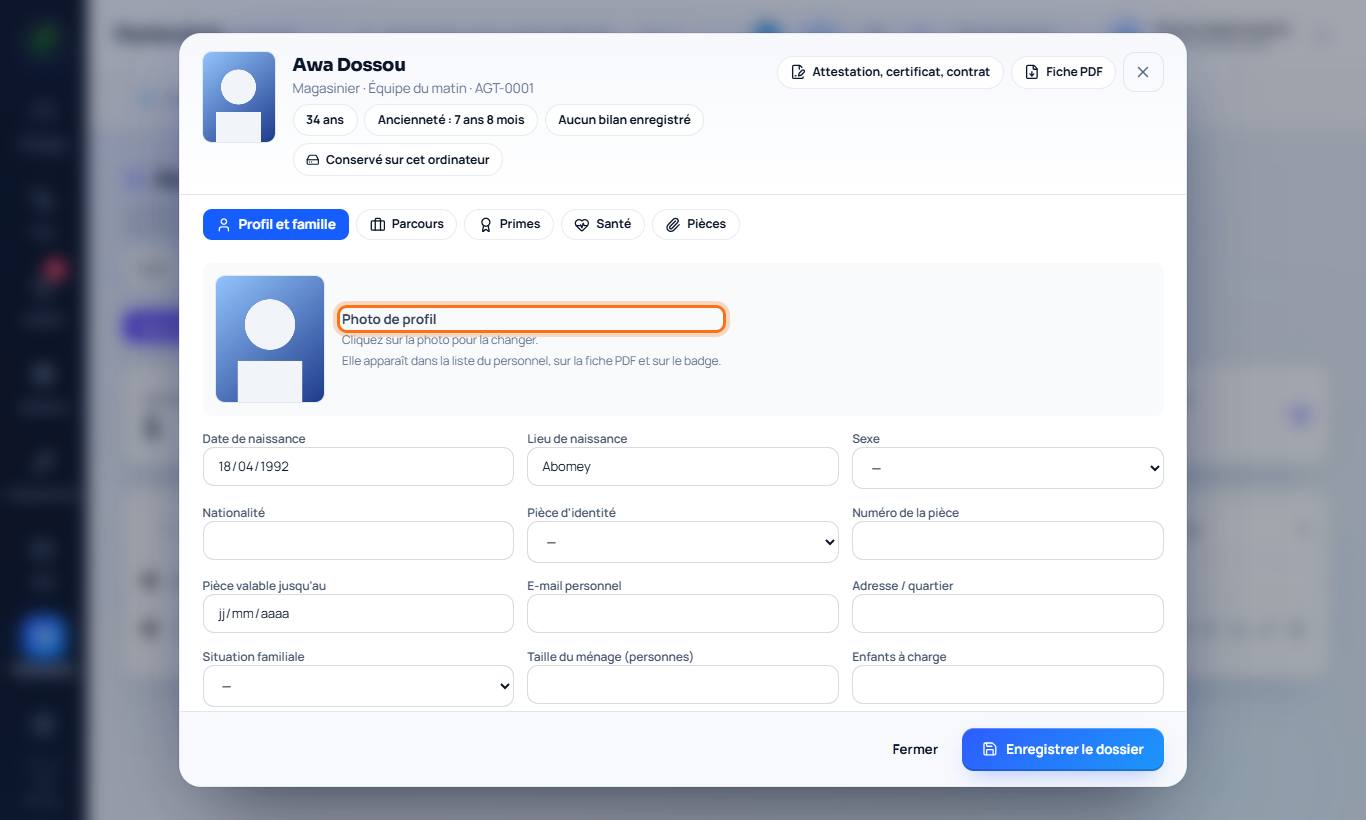
2. Profile photo
Click the photo frame (header or Profile and family tab) to add or change the photo. It appears in the staff list, on the PDF sheet and on the badge. A new photo replaces the old one.
3. Profile and family
Date and place of birth, sex, ID document, marital status, household size, dependent children, hiring date, contract type, line manager, emergency contact.
4. Career and combined positions
Career tab: add the first position, then each change. Choose Replaces the current position (promotion, transfer: the old position ends) or Combined (the new position is added, the old one continues). Each position keeps its own seniority. End closes only one of the combined positions.
5. Bonuses, health and attachments
Bonuses: by year, without amounts. Health: check-ups, result and next check-up (an alert flags those due). Attachments: ID, CV, diplomas, contracts, fitness certificate (2 MB per file, 10 MB per employee).
6. Inclusion (disability and special situations)
Inclusion tab, only with the employee's consent (The employee has given consent box): special situations, type of disability, official recognition, workplace adjustments and support, supporting documents. This information is sensitive: it is only visible to people with the HR records right and is never sent to an AI (Traci or a connected assistant). The staff list only shows anonymous indicators.
7. Sheets and downloads
On the employee's row: detailed PDF sheet, Excel sheet and complete file (.zip) with the sheet and all attachments. At the top of the list, tick employees to export only their sheets, or export every employee shown.
Good to know
- Local plans: attachments stay on the computer (encrypted if encryption is enabled). Cloud plans: a protected copy is kept online, restricted to authorised people.