Badges for staff, partners and visitors
Documentation · Management system
Create and print badges (automatic number, photo, QR code), control entries and exits, or reuse the badges the company already has.
1. Enable badges
Partners › Badges: the feature is optional. Choose Create our badges with TraceFlow (automatic number, printing) or Use our existing badges (your numbers and card codes are reused).
2. Create a badge
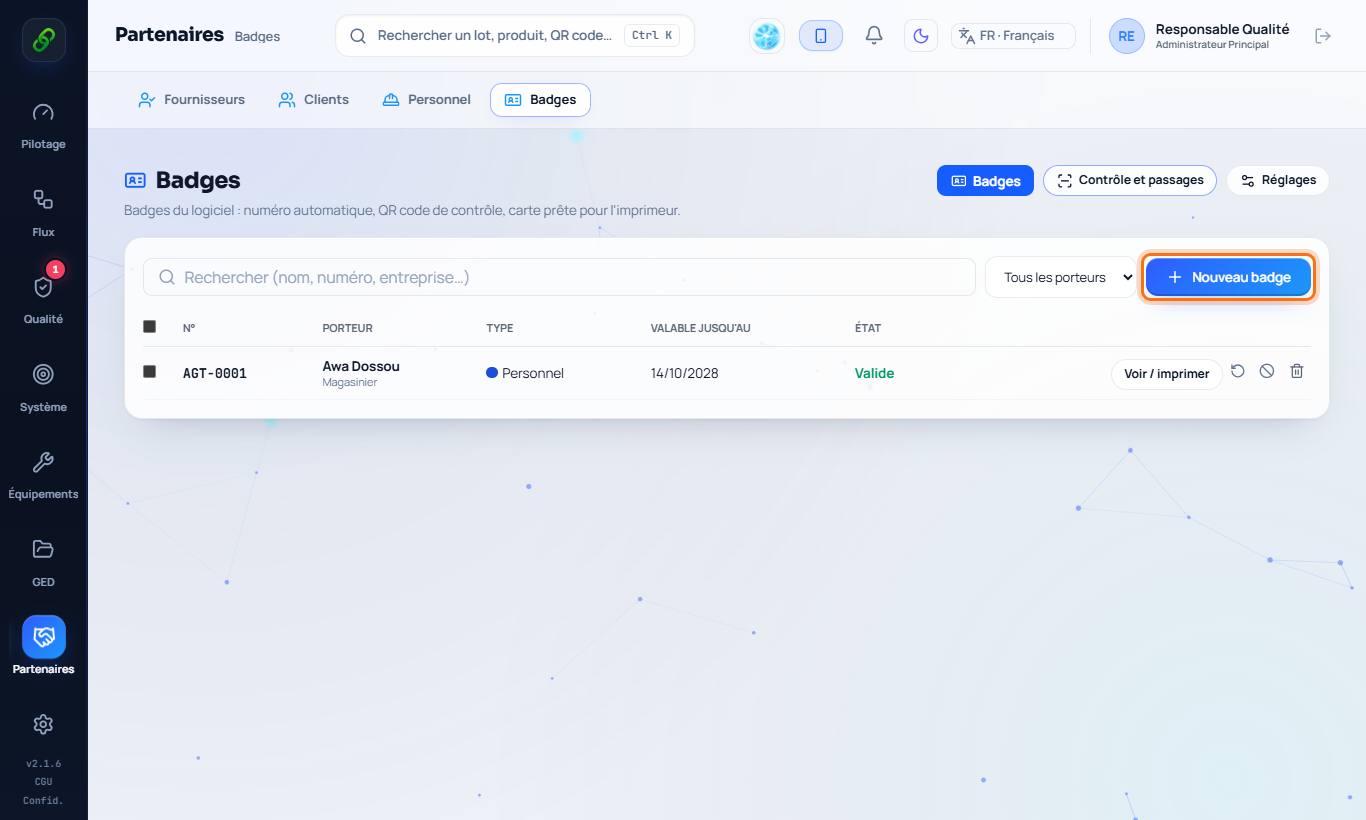
New badge: type of holder (staff, supplier, customer, visitor), person, photo. The number is suggested automatically (AGT-0001, FRN-…) and can become the employee's staff number. Badges for all staff creates the missing ones in one click.
3. Templates and colours
Settings: classic, modern (landscape), minimal or your own background; colour by type of holder and, if you wish, by position; numbering, validity, back text (return if lost).
4. Print
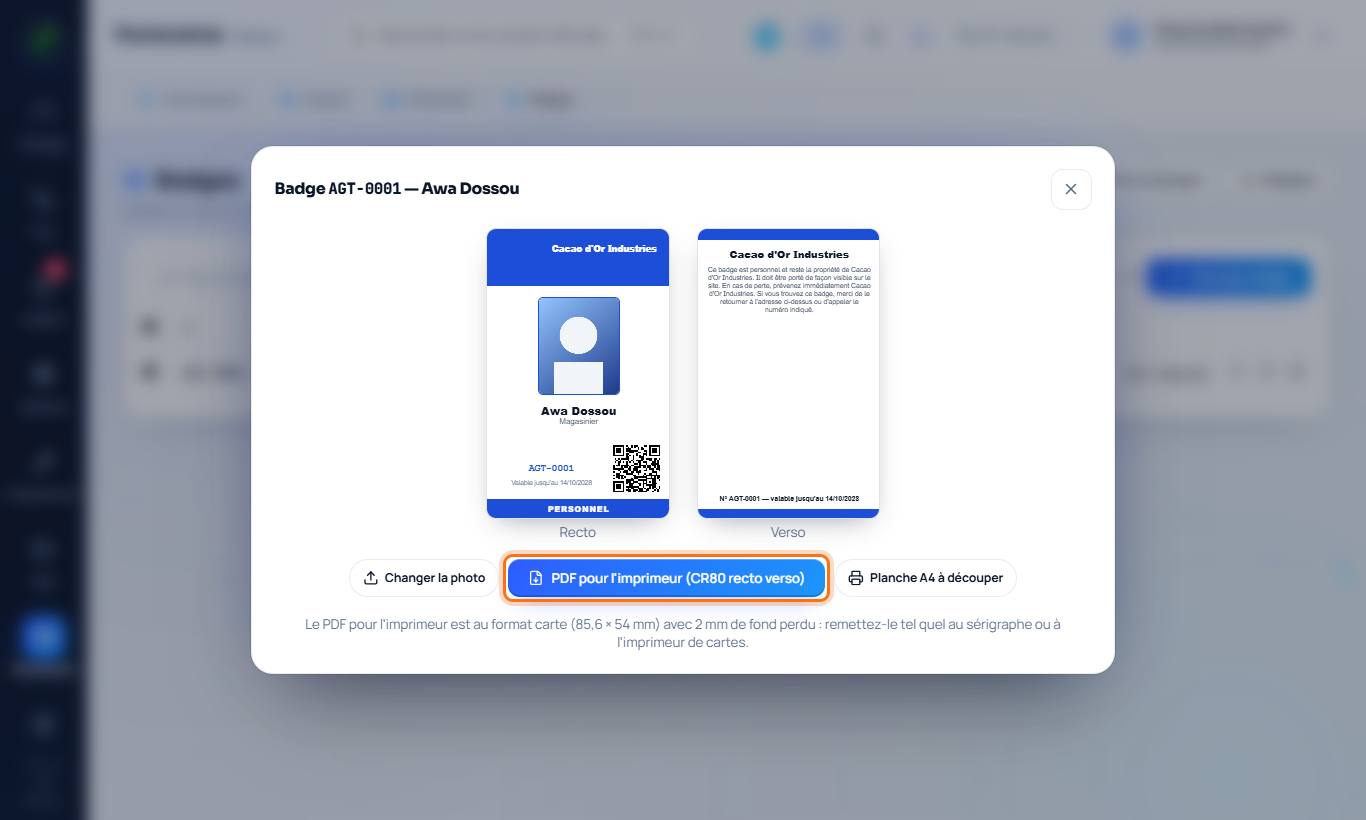
PDF for the printer: card format (85.6 × 54 mm), front and back, with bleed, to hand as is to a screen printer or card printer. A4 sheet: to print and cut yourself.
5. Colour-coded access zones
Settings › Access zones: Add a zone (Production, Laboratory, Warehouse, Offices…), choose its colour, then Save settings. Each zone and each type of holder keeps a clearly distinct colour: if two colours are too close, the software assigns another one automatically. On each badge (at creation or in its preview), tick the Authorised access zones: the printed card carries one colour stripe per zone on its right edge.
6. Control entries and exits
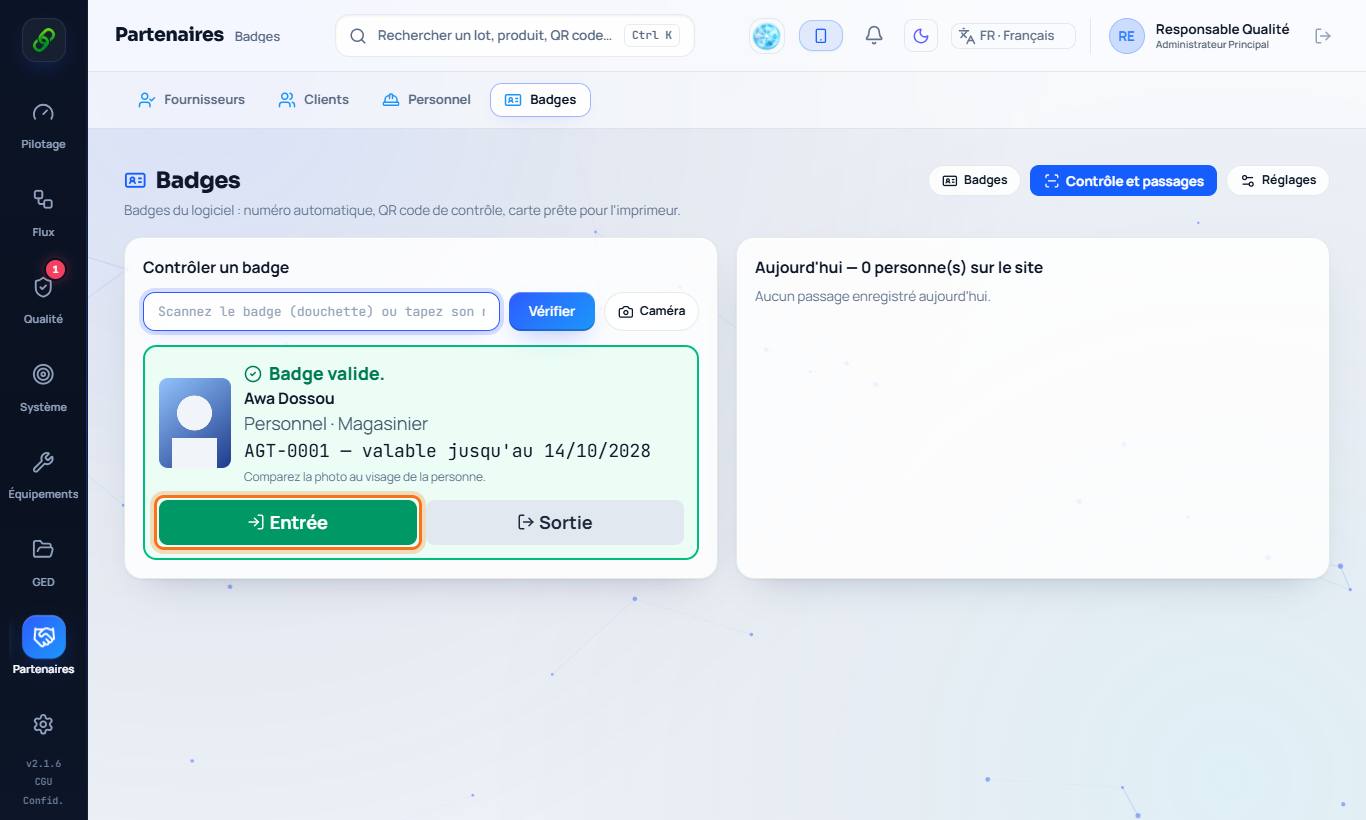
Control and passages: choose the Checkpoint (site entrance or a specific zone), then scan the QR code or type the number. Reading sources: Camera (webcam, or the phone camera with Phone Link), Phone (the TraceFlow Chain phone app acts as a scanner after reading a pairing QR code), USB or Bluetooth barcode scanner (always active) and Serial / Bluetooth scanner. A badge without access to the chosen zone is refused. The photo and status appear, then Entry or Exit. A fake, expired or withdrawn badge is refused. The counter shows the people present on site.
7. Loss or departure
Withdraw a badge (loss, theft, departure) so that it is refused at control. Renew changes the QR code: the old card is no longer recognised.