The Traci assistant
Documentation · Monitoring and tools
Ask a question about your data, trace a batch, have a document read (PDF, Word, Excel, photo) to fill in records, create an image, with your approval.
1. Open Traci
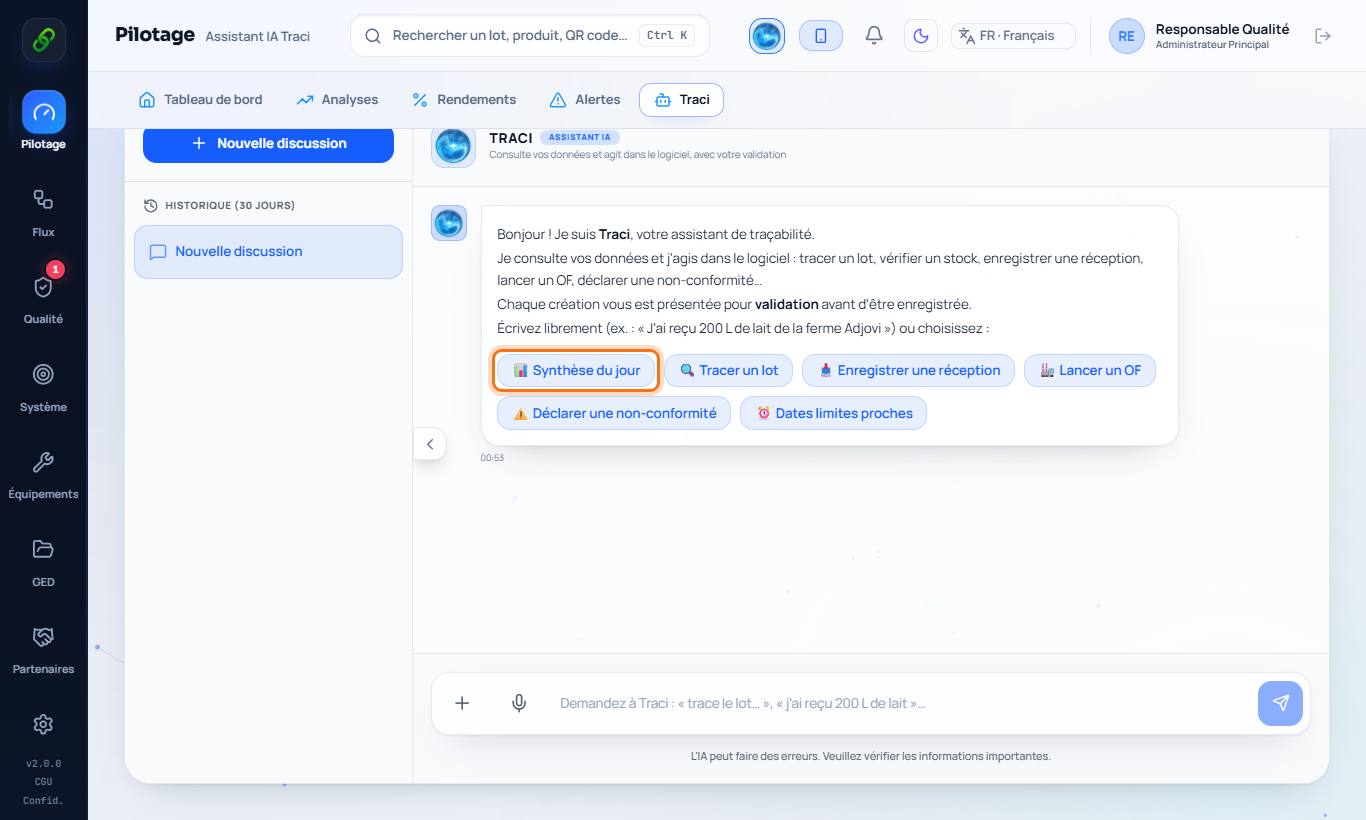
Monitoring › Traci: ask your question or use the shortcuts (Daily summary, Trace a batch, Record a reception, Launch an MO, Declare a non-conformity, Upcoming deadlines).
2. Multi-step answers
For a question that requires combining several pieces of information (for example "which employees have no badge?"), Traci looks up the relevant sections one after another before answering or suggesting an action: up to 2 steps on the Free plan, 3 on Startup PME, 5 on Pro Cloud and Enterprise. It only sees the sections your role can view; HR records are never sent to it.
3. Have a document read
Click the paperclip and attach a PDF, a Word or Excel file or a photo (staff list, delivery note, supplier sheet…). Traci extracts the information and prepares the matching records (staff, training, equipment, suppliers…): check them before saving.
4. Create an image
Ask for example "create a handwashing poster for the workshop". Traci generates the image with a readable title; download it or save it in the document library. The number of images is counted per month according to the plan (2 on Free, 10 on Startup PME, 30 on Pro Cloud, 100 on Enterprise).
5. Approve suggested entries
When Traci prepares an entry, it is shown to you: nothing is saved without your approval.